Integrating Computer Science Concepts At Home
BootUp knows how to do teacher PD and knows that what happens outside the classroom also matters. Computational thinking doesn't just happen in the classroom, it can happen at home, in the kitchen baking bread with a grandparent, or creating a game with a parent. These activities promote computational thinking in meaningful and relevant ways and both activities provide simple ways to leverage computing vocabulary.

#2 Creative Code: Make Art That Moves
*For parents and caregivers of 3rd – 8th graders *
This hands-on activity helps 3rd–6th grade children learn basic coding concepts like sequences, commands, and debugging. This approach combines movement and creativity and makes computational thinking fun, cultural, and accessible in any home setting.
Learn basic coding concepts (sequencing, commands, debugging) by using colors and shapes to create a movement path or visual pattern.
What You Need
- Colored paper, beads, buttons, stickers, or markers
- A large piece of paper or floor space to build your artwork or maze
- Optional: a small toy or figure to follow the coded path
- A pencil and eraser for sketching ideas
Instructions
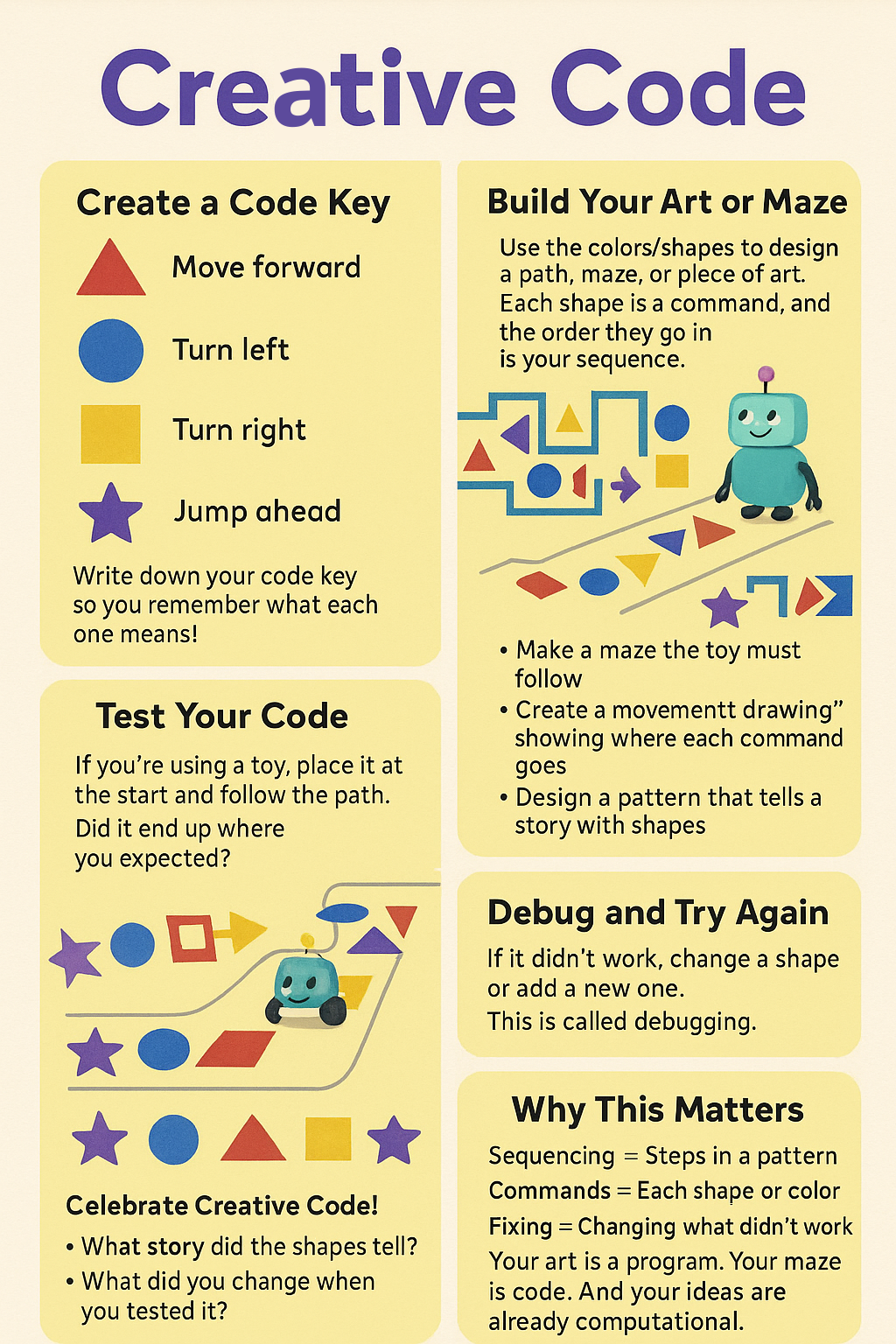
Create a Code Key
Help your child to select colors and shapes for each movement command. You can choose any movement you’d like. The following is a simple example:
🔺 Red triangle = Move forward
🔵 Blue circle = Turn left
🟨 Yellow square = Turn right
🟣 Purple star = Jump ahead
Write down your code key so you remember what each one means!
Build Your Art or Maze
Have your child use the colors/shapes to design a path, maze, or piece of art.
Each shape is a command, and the order they go in is your sequence. Your child can:
- Make a maze the toy must follow
- Create a “movement drawing” showing where each command goes
- Design a pattern that tells a story with shapes
Vocabulary:
- Sequencing is putting each step in the right order, just like following the colors and movements of your maze one by one.
- A command is a single instruction, like “move forward” or “turn left”. A command tells you what to do next.
- Debugging means finding and fixing what didn’t work, like changing the pattern if the toy gets stuck.
Test Your Code
If your child is using a toy, ask them to place it at the start and follow the path using the shapes as instructions. Ask your child:
Did it end up where you expected? If it did, then the code worked!
Can you create a different maze or pattern?
Debug and Try Again
If it didn’t work, help your child change a shape or add a new one. This is called debugging.
There’s no wrong way to do it. Each change is part of the creative process.
Celebrate Creative Code!
Talk with your child about what they made:
- What story did the shapes tell?
- What did you change when you tested it?
- How is your art like a computer program?
Computers follow a sequence of commands in a program.
Sequencing = Steps in a pattern
Commands = Each shape or color
Debugging = Changing what didn’t work
Congratulations on completing this Creative Code journey with your child! Turning shapes, colors, and stories into code shows kids that imagination and tradition can live side by side with problem-solving and pattern-making. Whether your path was perfectly planned or full of fun detours, you’ve helped your child build confidence, curiosity, and computational thinking in a way that’s rooted in relationship and joy. Every sticker placed and shape chosen was a step in their growing knowledge, and yours too. Keep exploring, keep creating, and remember: their ideas are already intelligent. You’ve just made space for that brilliance to shine.